
Turn Jira into Mission Control for large-scale campaigns
Launch, track, and govern 50+ issues across teams. One parent issue, full visibility, automated follow-ups.

Coordinating work across 50+ teams shouldn't require 50+ spreadsheets
- Security patches stuck in different team backlogs
- Migration initiatives with no visibility into progress
- Compliance tasks scattered across projects
- Hours spent copy-pasting issues and chasing updates
Armada: Fan-out at scale, visibility in real-time
- One-click campaign launch to 50+ teams
- Live dashboard with roll-up progress
- Automated nudges for stale issues
- Governance controls for large campaigns
Everything you need to coordinate at scale
Built for platform teams, security engineers, and program managers who need to move fast across many teams.
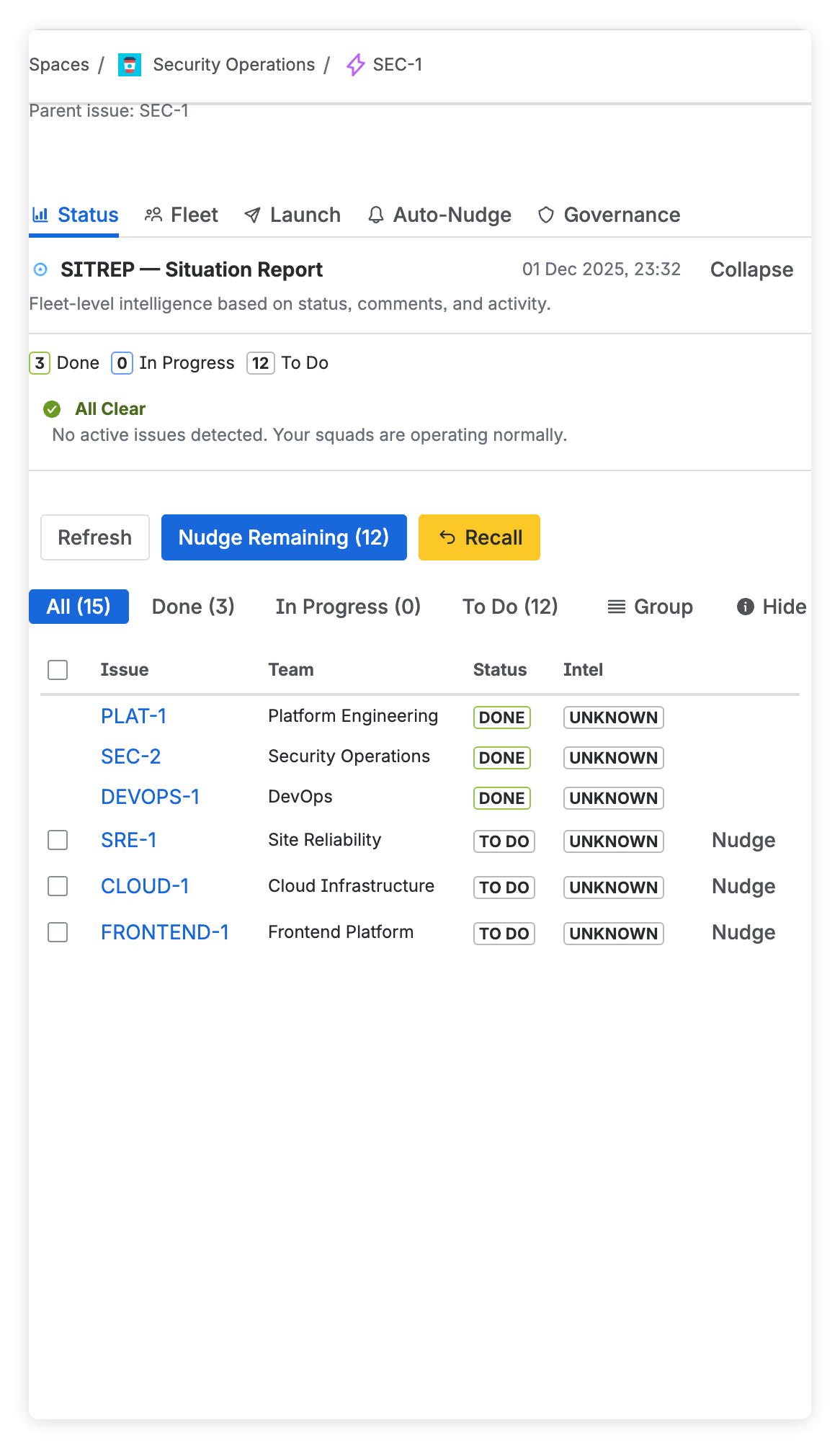
Campaign Status Dashboard
Real-time visibility into all child issues with roll-up progress. See completion rates, blockers, and team velocity at a glance.
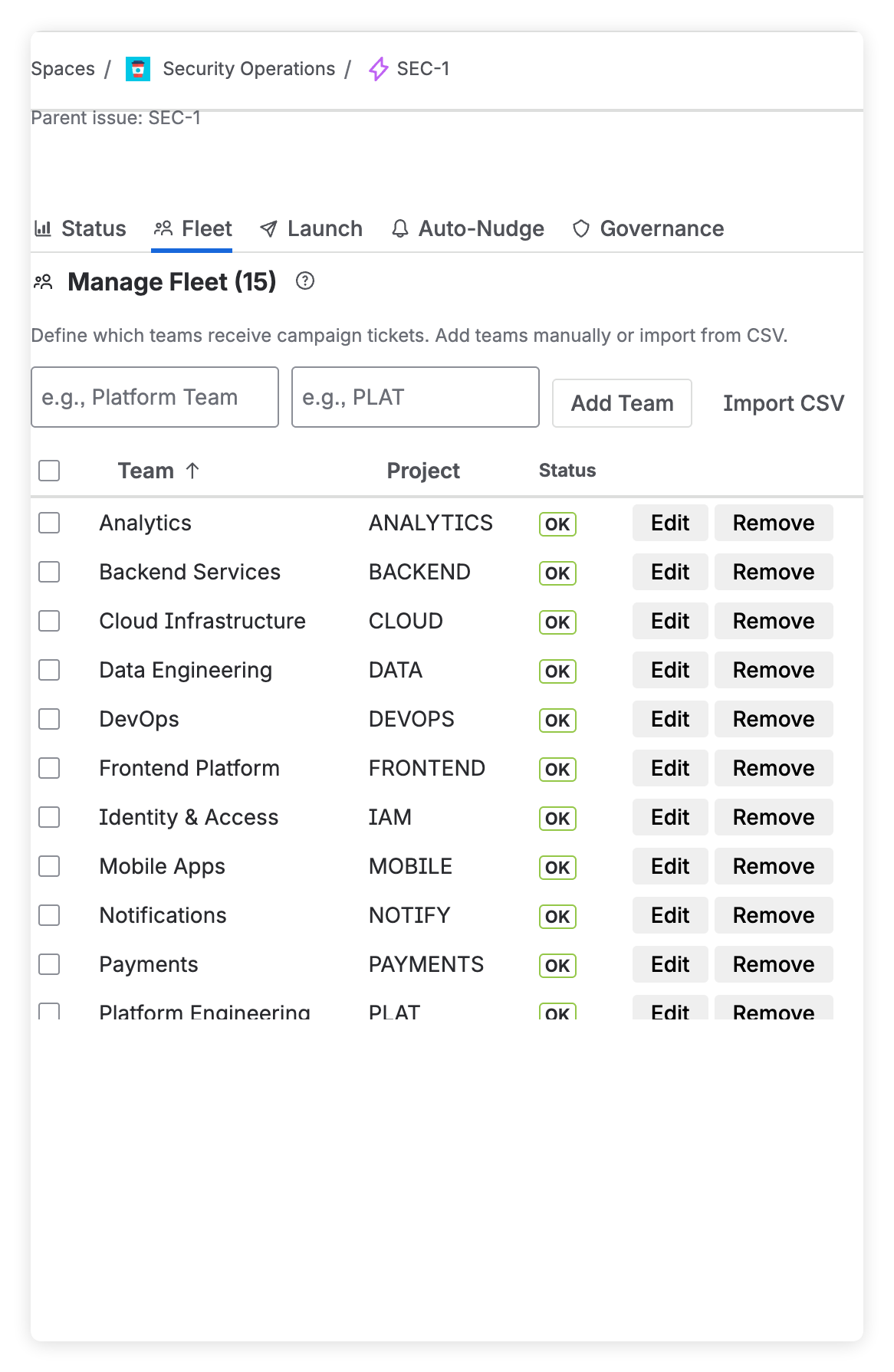
Fleet Management
Define your teams once, reuse everywhere. CSV import, health checks, and project validation ensure every launch succeeds.
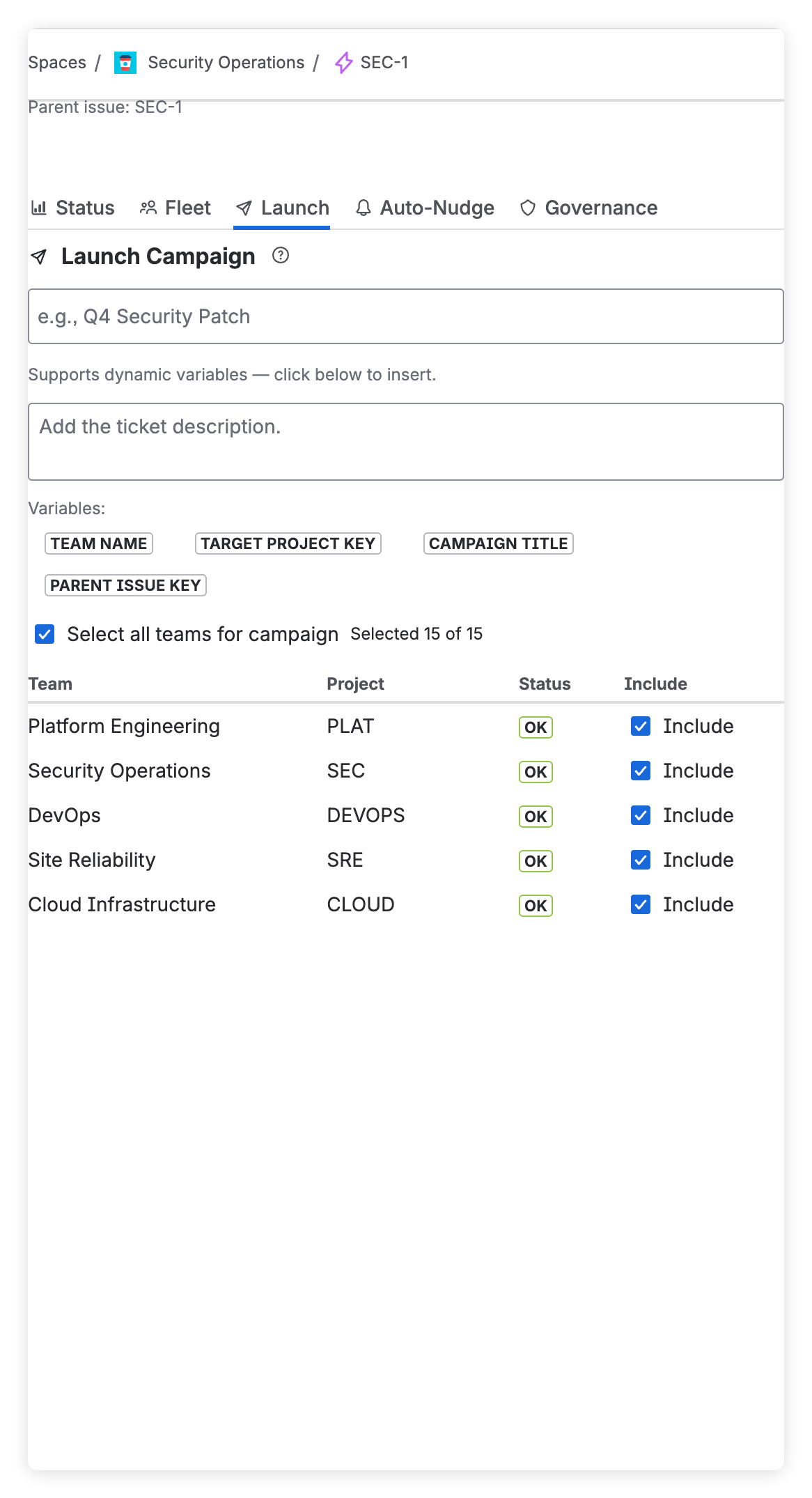
Campaign Launch
One click creates 50+ linked issues across projects. Automatic issue linking, custom templates, and rollback on failure.
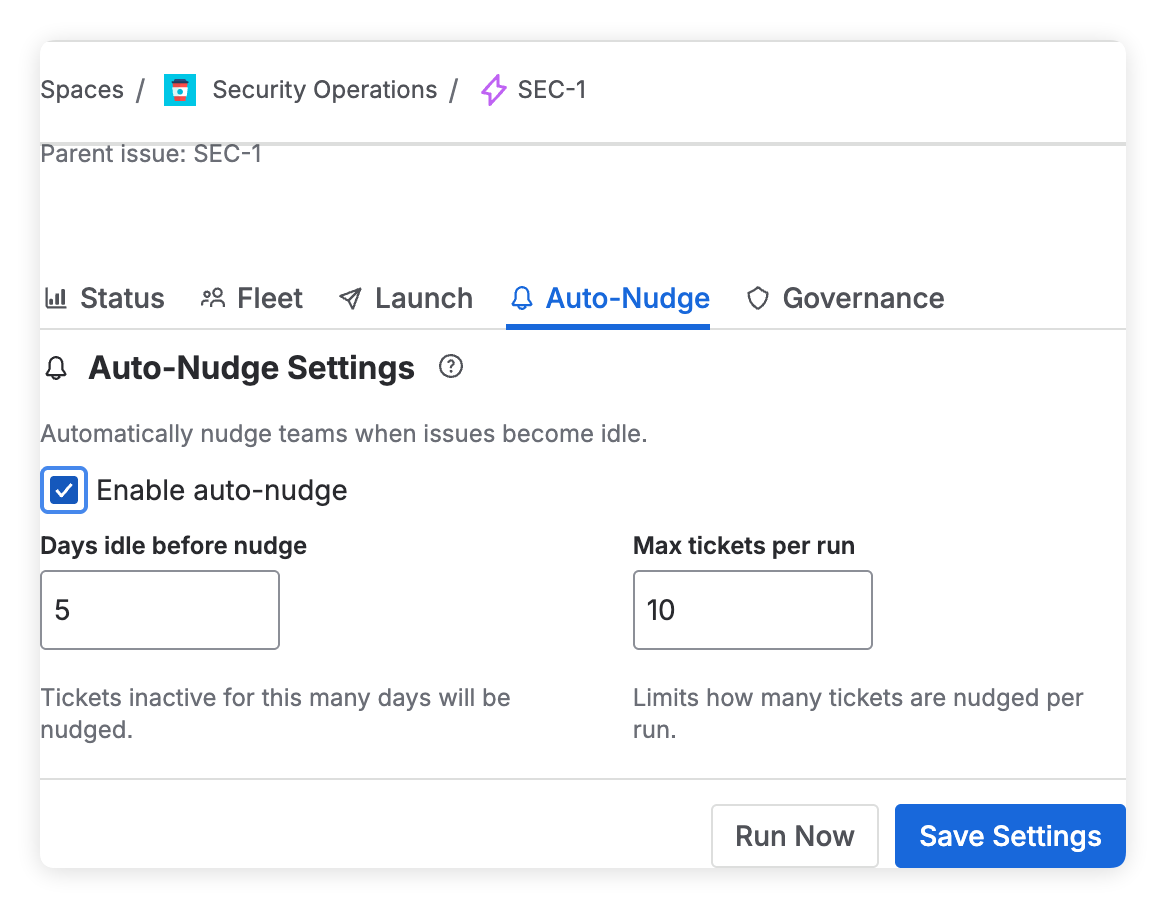
Auto-Nudge
Automated reminders for stale issues. Configure idle thresholds and batch sizes. Never chase updates manually again.
Governance Controls
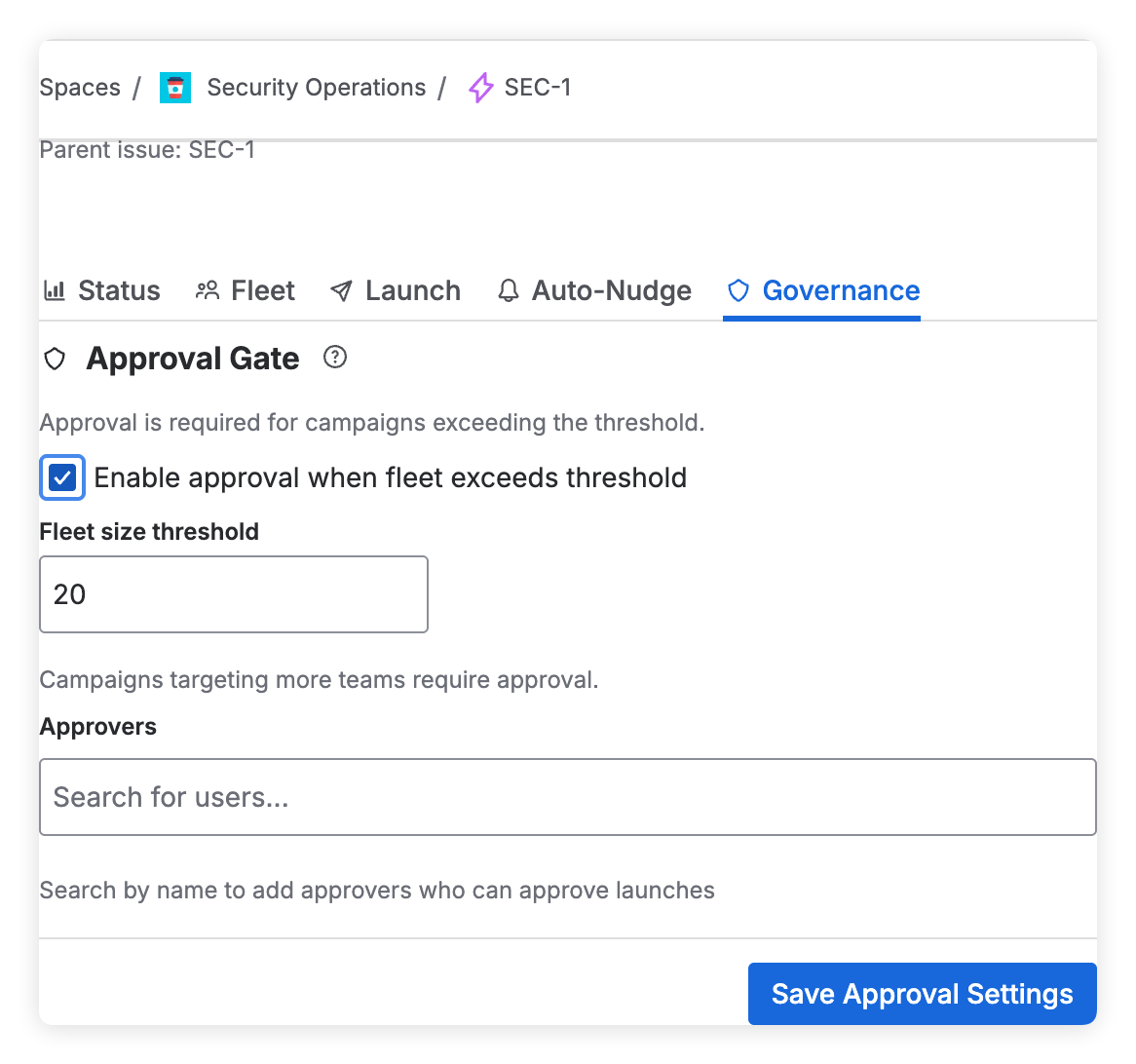
Approval gates for large campaigns. Set thresholds, define approvers, and maintain audit trails for compliance.
Built for enterprise challenges
See how teams use Armada to coordinate critical initiatives across their organization.
Security Patch Rollouts
Coordinate CVE remediation across 50+ services. Track which teams have patched, which are blocked, and auto-nudge stragglers.
Platform Migrations
Move from legacy to modern infrastructure. Create migration tickets per team, track progress, and ensure nothing gets left behind.
Compliance & Governance
SOC2, GDPR, audit preparation. Create compliance tasks across departments, collect attestations, maintain evidence.
From parent issue to full visibility in 3 steps
Define Your Fleet
Add teams and their Jira projects. Import from CSV or add manually. Validate project access with health checks.
Create Parent Issue
Write your initiative as a Jira Epic or Story. Add details, acceptance criteria, and deadlines.
Launch Campaign
Select target teams, click Launch. Armada creates linked issues, tracks status, and automates follow-ups.
Simple, transparent pricing
30-day free trial. Pay based on your Jira Cloud user count. All features included.
| Users | Price |
|---|---|
| Up to 10 users | $20/mo |
| Up to 25 users | $37.5/mo |
| Up to 50 users | $75/mo |
| Up to 100 users | $150/mo |
| Up to 250 users | $250/mo |
| Up to 500 users | $500/mo |
| Up to 1000 users | $500/mo |
| Up to 2000 users | $1,000/mo |
| Up to 5000 users | $2,500/mo |
| Up to 10000 users | $5,000/mo |
Pricing based on your Jira Cloud user count. Billed through Atlassian Marketplace.
All plans include
- Full campaign tracking
- Auto-nudge automation
- Approval workflows
- CSV fleet import
- Governance controls
- Audit trails
- Email support
- Unlimited campaigns
Enterprise-grade security, built on Atlassian Forge
Your data stays in Atlassian. Armada runs entirely within Forge's secure infrastructure.
All data stays within Atlassian's infrastructure
Runs in Atlassian's isolated, sandboxed runtime
Full audit trails for compliance requirements
Frequently asked questions
What is Armada?
Armada is an Atlassian Forge app that turns Jira into a command center for large-scale initiatives. It solves the "fan-out" problem by creating and tracking 50+ child issues from a single parent with safety rails, live visibility, and governance controls.
How does Armada integrate with Jira?
Armada is a native Atlassian Forge app that runs inside your Jira Cloud instance. It uses Jira's REST API to create issues, links, and comments. No external servers or data export required.
Is my data secure?
Yes. Armada runs entirely within Atlassian's infrastructure using Forge. Your data never leaves Atlassian. We're working toward Cloud Fortified certification.
Can I try Armada before buying?
Yes! Armada offers a 30-day free trial through the Atlassian Marketplace. Try all features with your team before committing.
What Jira editions are supported?
Armada works with Jira Cloud (Standard, Premium, and Enterprise). Server and Data Center are not currently supported.
How do approval workflows work?
Configure a threshold (e.g., 20+ target teams) and designate approvers. When a launch exceeds the threshold, it's held for approval. Approvers receive notifications and can approve or reject with comments.
Ready to scale your Jira operations?
Join teams who've stopped chasing updates and started leading initiatives.